Building your menu
Organise categories and groups, then add the items guests will order.
1 min read6 guides in this topic
The menu builder is where your offering takes shape. Items live inside categories, and categories can be organised into groups (for example “Food” and “Drinks”) for a tidy guest experience.
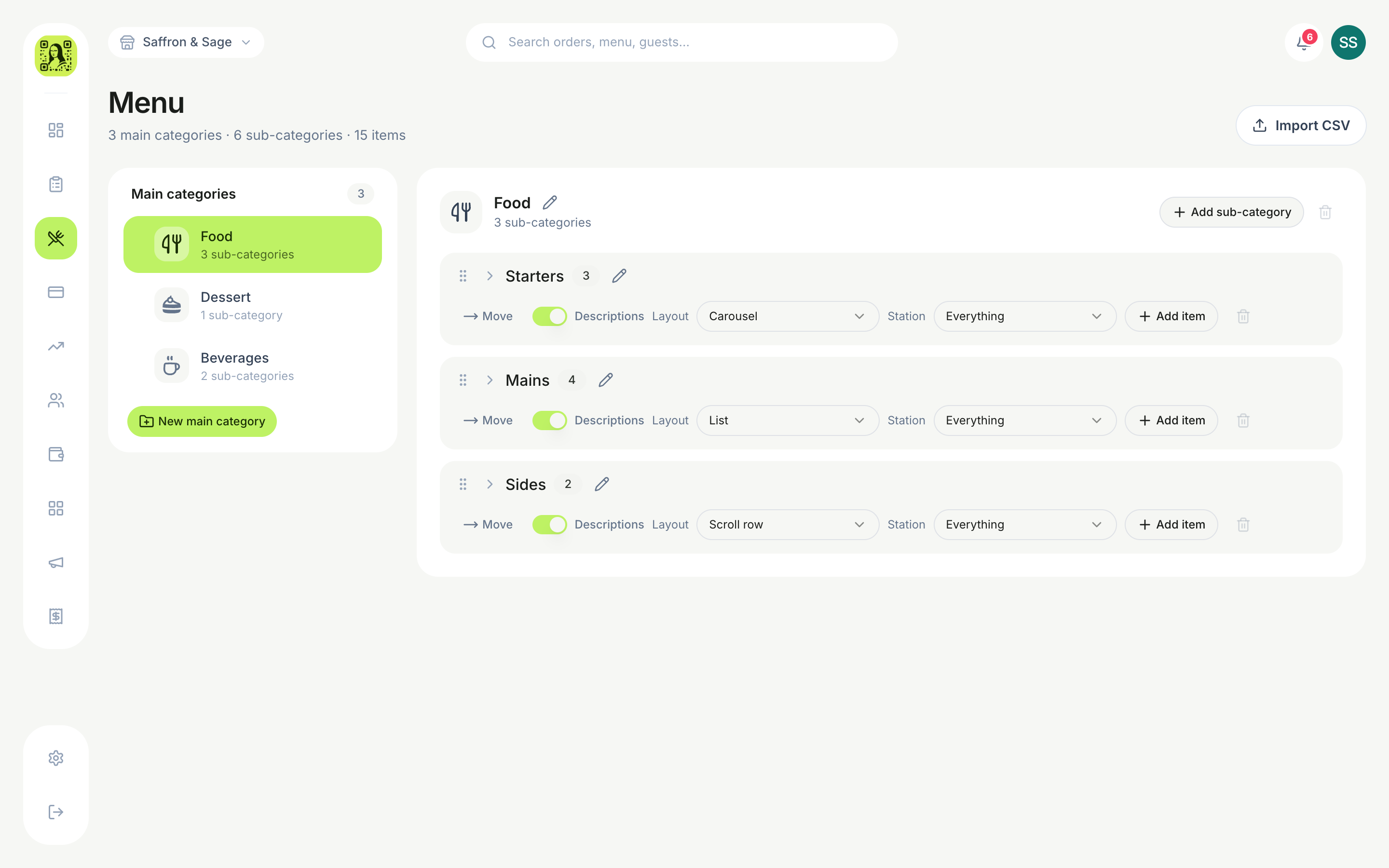
Structure
- Groups — optional top-level sections that bundle related categories.
- Categories — e.g. Starters, Mains, Cocktails. Each can have its own layout and description visibility.
- Items — the dishes themselves, with price, photo and options.
TipEach category can pick its own layout, and you can hide item descriptions per category for a cleaner, faster-to-scan list.
Guides in this topic
- Your first category and its itemsMain categories, sub-categories, and an item with sizes and add-ons — built the way guests will read it.
- Sold out: hiding a dish the moment the kitchen runs outOne switch takes an item off the QR menu and the POS in seconds — and puts it back tomorrow with everything intact.
- Category icons — which one shows whereMain categories always have an icon; sub-categories can have their own. Here’s the rule for which appears.
- The Design page: colours, layout and nutrition on cardsChange how the QR menu looks with a live phone preview — and choose how calories and macros show on each item.
- Promo banners on the QR menuA slideshow at the top of the menu — a photo, a line of text, an optional price — for the dish you want sold tonight.
- Happy hour, day-part pricing and combo bundlesTake a percentage off a category on certain days and hours, or bundle items at a fixed price.
Was this helpful?